Main Use
This question type is mainly used for collecting the participants personal information or collectively known as PII (Personal Identifiable Information). This includes name, email address, phone numbers, postal/zip codes.
How to set up in the platform:
1. In the Questionnaire Builder page, add new question OR insert new question by hovering over an existing question and click the green (+) button (either above or below the existing question)
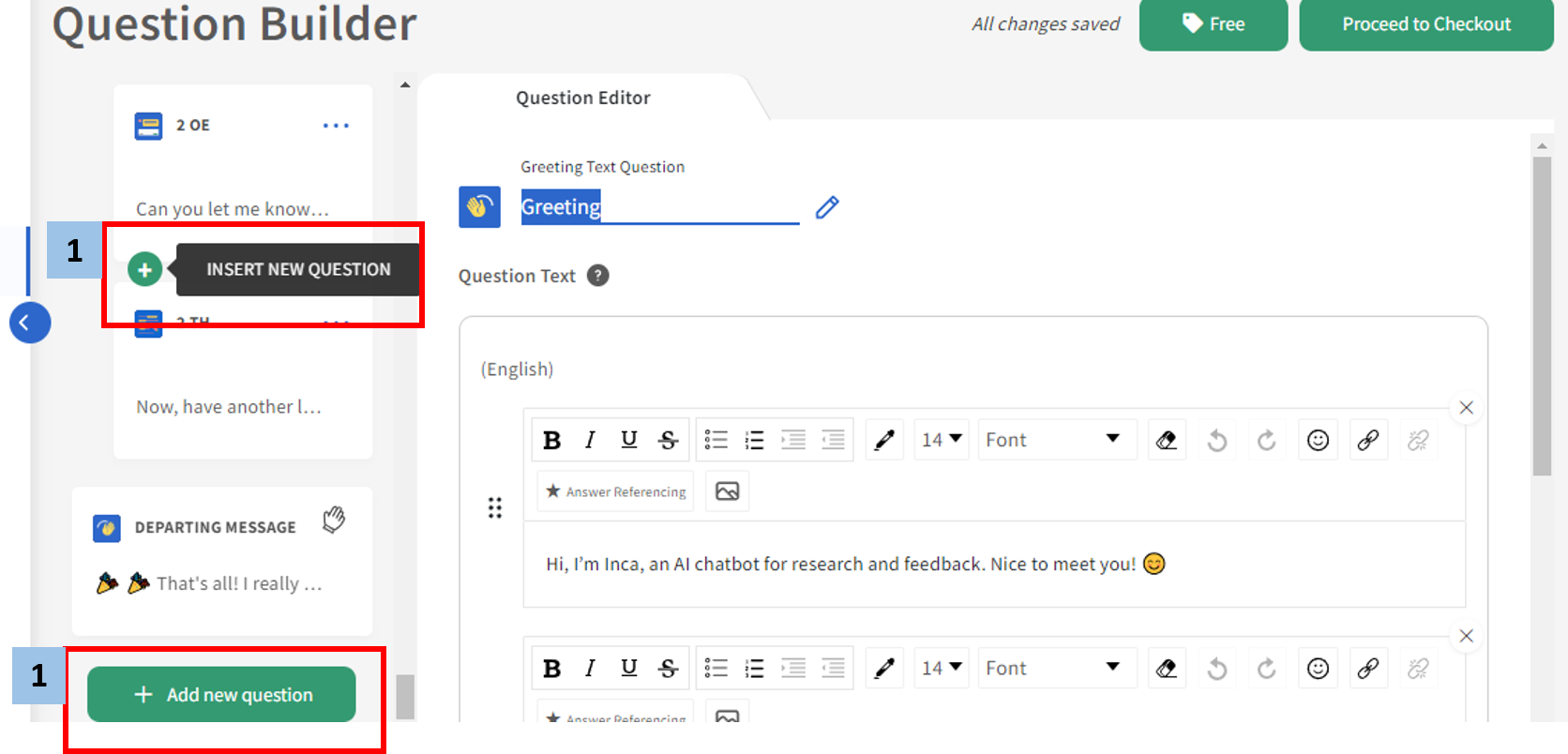
2. Select PII from the popup menu that appears.

3. Write your question number or label in the upper box and write your question in the Question Text Box.
Useful Control Settings
Text Validation
This prompts the participant to type in the specific format of text for Phone Numbers, Email and Postal / Zip Code (Canada only)
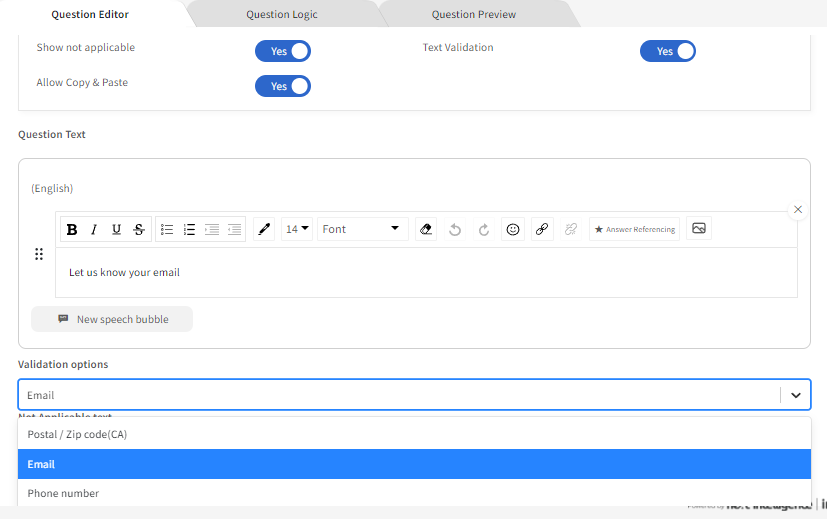
Allow Copy Paste
Allow participants to copy and paste text from different window or source. We recommend to toggle on Allow Copy Paste when collecting exact information like member ID, which may be difficult to memorize.
Show Not Applicable
This gives the participant a choice to not answer the question if the question is not applicable to them. You can toggle on Show not applicable, and also edit the wording for "Not applicable" in the Not Applicable Text Box.
Was this article helpful?
That’s Great!
Thank you for your feedback
Sorry! We couldn't be helpful
Thank you for your feedback
Feedback sent
We appreciate your effort and will try to fix the article